Technology
How to Check Your PC and Improve Your Gaming Experience

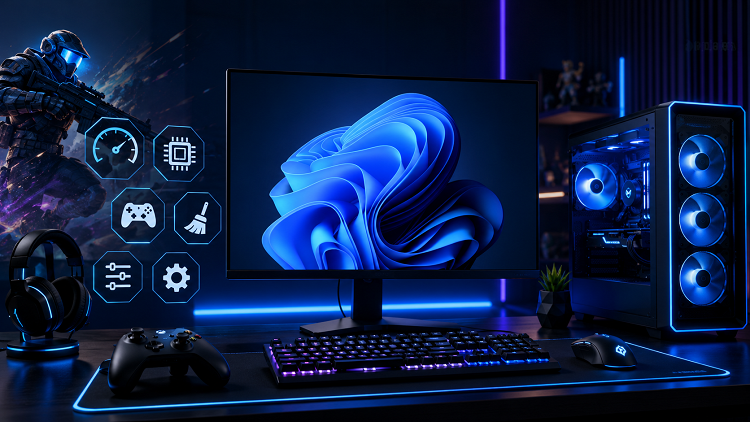
Choosing a new game or improving your gaming setup can be difficult when you are unsure whether your computer can handle the required workload. Hardware specifications, graphics settings, and personal gaming skills all influence the overall experience. Fortunately, several simple tools can help you understand your computer and evaluate your performance before making changes.
From checking game requirements to reviewing hardware specifications and measuring response speed, these methods can give you a clearer picture of your current setup.
Find Out if Your PC Can Handle a Game
Before purchasing or installing a demanding game, one of the first questions many players ask is, Can I run it? Knowing the answer can prevent disappointment and help you decide whether your current hardware is sufficient.
Modern games can require different combinations of processor power, graphics performance, memory, and storage space. A game may run on a computer that meets its minimum requirements, but that does not necessarily mean it will provide smooth gameplay at high graphics settings.
When checking compatibility, compare your computer’s CPU, GPU, RAM, operating system, and available storage with the game’s minimum and recommended requirements. Minimum specifications generally indicate the hardware needed to launch and play the game under basic conditions, while recommended requirements usually target a more comfortable experience.
Resolution and graphics settings also matter. A computer that struggles at high resolution may perform much better after reducing demanding settings such as shadows, reflections, and texture quality.
Check Your Hardware With a PC Specs Checker
Before comparing your computer with a game’s requirements, you need to know exactly what hardware your system contains. Many users know their computer’s brand or model but may not know the exact processor, graphics card, RAM capacity, or other specifications.
A PC specs checker can make this information easier to understand. These tools can display details about important components, including the processor, graphics card, memory, operating system, and sometimes storage devices.
Having accurate specifications is useful when troubleshooting performance problems or planning an upgrade. For example, if a game requires more RAM than your computer currently has, you can identify the limitation immediately. Similarly, knowing the exact graphics card model makes it easier to compare your system with recommended requirements.
You should also check whether your system is using the correct amount of installed memory and whether your storage drive has enough free space. A nearly full drive or insufficient memory can affect the overall computing experience.
Instead of guessing which components are installed, use reliable system information tools and verify the specifications through Windows or the hardware manufacturer’s documentation when necessary.
Measure Your Response Speed With a Reaction Time Test
Hardware is only one part of gaming performance. Your ability to respond quickly to visual or audio signals can also influence how you perform, particularly in competitive games.
A reaction time test measures how quickly you respond after a specific signal appears. These tests are usually simple: you wait for a visual change and then click a mouse button or press a key as quickly as possible.
Reaction time can vary depending on several factors. Sleep, concentration, fatigue, distractions, input devices, and even display latency can influence the result. Because of this, a single test score does not provide a complete picture of your gaming ability.
For more useful results, take several attempts under similar conditions and look at your average performance rather than focusing on one unusually fast or slow result. Regular practice can also help you become more familiar with the testing process.
However, reaction speed is not the same as overall gaming skill. Positioning, decision-making, accuracy, game knowledge, and anticipation are equally important. A fast reaction time can be helpful, but it needs to be combined with other skills to make a meaningful difference during gameplay.
Combine Hardware Checks With Performance Testing
The best way to understand your gaming setup is to combine hardware information with real-world testing. Start by checking your PC specifications and comparing them with the requirements of the games you want to play.
If your computer meets only the minimum requirements, consider using lower graphics settings and a suitable resolution. If your hardware exceeds the recommended specifications, you may be able to increase visual quality while maintaining a stable frame rate.
After configuring your game, monitor actual performance while playing. Pay attention to frame-rate drops, stuttering, overheating, and unusual system behavior. These observations can provide information that a simple specification comparison cannot.
At the same time, practicing with a reaction time test can help you understand your response speed. Keep your testing environment consistent and focus on gradual improvement rather than trying to achieve an unrealistic score immediately.
Conclusion
Understanding your computer and your own gaming performance can help you make smarter decisions. Asking Can I run it before installing a demanding game helps you compare hardware requirements, while a PC specs checker provides important information about your system’s components.
A reaction time test adds another perspective by measuring how quickly you respond to visual or other signals. By combining accurate hardware information, realistic game requirements, and regular performance practice, you can build a better understanding of your PC and enjoy a smoother, more informed gaming experience.


Who Is Elisa Larregui? The Real Life Story of Aries Spears’ Former Wife

Who Is Solita Liliana Rivera? The Real Life Story of Geraldo Rivera’s Youngest Daughter

Who Is Alyssa Cuban? The Real Life Story of Mark Cuban’s Middle Daughter

Who Is Andrea Skeete? The Real Life Story of George Foreman’s Fourth Wife

Who Is Juanita Katt? The Real Life Story of Barbara Hale’s Daughter

Who Is Asher Sky Waite? The Real Life Story of Natasha Henstridge’s Younger Son

Who Is Thomas Emil Sicks? The Inspiring Life of Kiefer Sutherland’s Half-Brother

Who Is Aidan Thieriot? The Inspiring Life of Max Thieriot’s Brother

Who Is Michel Sáenz Castro? The Fascinating Life of Verónica Castro’s Son

Who Is Amelia Jane Henson? The Fascinating Life of Mia Sara and Brian Henson’s Daughter

Who Is América Guinart? A Remarkable Life of Alejandro Fernández’s Ex-Wife

Who Is Paris Brosnan? The Remarkable Life of Pierce Brosnan’s Son
-
 Celebrity2 months ago
Who Is Thomas Emil Sicks? The Inspiring Life of Kiefer Sutherland’s Half-Brother
-
 Celebrity2 months ago
Who Is Aidan Thieriot? The Inspiring Life of Max Thieriot’s Brother
-
 Celebrity3 months ago
Who Is Michel Sáenz Castro? The Fascinating Life of Verónica Castro’s Son
-
 Celebrity2 months ago
Who Is Amelia Jane Henson? The Fascinating Life of Mia Sara and Brian Henson’s Daughter
-
 Celebrity2 months ago
Who Is América Guinart? A Remarkable Life of Alejandro Fernández’s Ex-Wife
-
 Celebrity2 months ago
Who Is Paris Brosnan? The Remarkable Life of Pierce Brosnan’s Son
-

 Celebrity3 months ago
Who Is James Daniel Sundquist? The Extraordinary Life of Jimi Hendrix’s Son
-

 Business2 months ago
What Is LessInvest.com and How Does the Platform Work?