Technology
Smart Game Booster Review: Optimize Your PC and Discover Which Games You Can Run

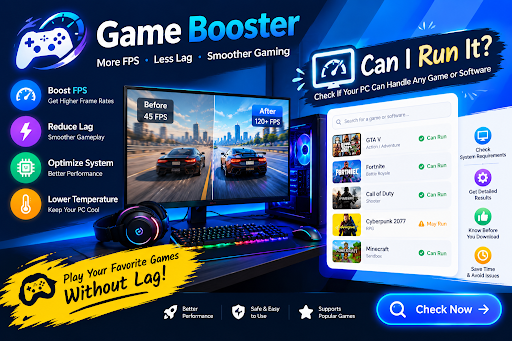
Preparing your computer for gaming requires more than simply downloading a game and launching it. System performance, hardware compatibility, background applications, and outdated drivers can all influence the experience. For gamers who want an easier way to manage these aspects, Smart Game Booster offers a collection of tools designed to simplify PC gaming. It brings together game optimization, hardware monitoring, driver updates, and a practical tool for checking game compatibility.
Whether you want to prepare your computer for a demanding title or find games that match your hardware, this software provides several options worth exploring.
What Makes Smart Game Booster a Useful Game Booster?
A Game Booster is designed to help computers operate more efficiently during gaming sessions. Smart Game Booster provides a convenient way to manage various PC optimization tasks from one place.
Its PC Boost function helps reduce unnecessary background activity and manage selected system processes before launching a game. This can be beneficial when other applications are consuming resources that could otherwise be available for gameplay.
Another interesting feature is Super Boost, which offers additional performance adjustments, including GPU and VRAM overclocking on supported hardware. These advanced options are intended for users who want to explore their hardware’s performance potential without immediately purchasing new components.
Smart Game Booster also allows users to add their installed games to its interface and launch them after applying the selected optimizations. This creates a convenient way to organize gaming titles and prepare the system from one location.
Explore the Can I Run It Feature
A particularly helpful feature included in Smart Game Booster is its Can I Run It tool.
This feature addresses a common question among PC gamers: is their existing computer powerful enough to handle a particular game?
Instead of manually researching processor and graphics card requirements, users can search for a game within the application. Smart Game Booster then compares the computer’s hardware information with the game’s minimum and recommended specifications.
This makes it easier to understand whether a particular title is suitable for the current system.
For example, someone interested in playing a demanding action game can check whether their graphics card, CPU, and RAM meet its requirements before downloading it.
The feature also includes a game discovery option called “What Games Can I Run?” This helps users explore titles compatible with their current hardware rather than choosing games randomly.
According to the product’s latest feature information, its compatibility database covers more than 160,000 games, 3,000 GPUs, and 9,000 CPUs. This provides a broad range of hardware and game combinations for checking compatibility.
Additional Tools for Managing Your Gaming PC
Smart Game Booster includes several utilities beyond its main optimization and compatibility functions.
Its Performance section provides tools for updating graphics and audio drivers, cleaning unnecessary files, adjusting system settings, and defragmenting game files where applicable.
The real-time hardware monitor is another helpful addition.It helps users monitor processor and graphics card temperatures, along with system resource usage during gameplay.
An in-game HUD can also display FPS and hardware information without requiring users to leave their games.
For gamers who want a more stable online connection, the software also provides Network Acceleration with selected subscription plans. It provides network routing options and connection statistics to help users monitor latency and packet loss.
How to Get Started With Smart Game Booster
Using the application is relatively simple:
Step 1: Visit the official Smart Game Booster website, download the installer, and set up the software on your Windows PC.
Step 2: Open the application and allow it to identify your installed games.
Step 3: Select a game and review the available PC Boost options.
Step 4: Navigate to the Can I Run It feature, find another game, and review its system requirements to see if your PC can handle it.
Step 5: Explore the Performance and monitoring tools to review drivers, hardware temperatures, and other system information.
Before applying advanced settings, review the available options carefully and make sure your computer has adequate cooling.
Is Smart Game Booster Worth Using?
Gamers who want to manage several PC tools from one place may find Smart Game Booster a useful option. With features for system optimization, hardware monitoring, driver updates, and game compatibility checks, it offers more functionality than a basic game launcher.
The software offers a free edition alongside VIP and SVIP subscriptions. Some advanced optimization and network features require a paid plan, so users should review the available editions before choosing one.
Final Thoughts
Smart Game Booster brings together practical tools for improving PC gaming management. Its Game Booster functionality helps users prepare their computers for gaming, while the separate Can I Run It feature makes it easier to check whether a particular game matches their hardware.
Both features serve different purposes but complement each other. By combining system optimization with game compatibility checking, Smart Game Booster offers a convenient solution for gamers who want to understand their hardware and get more from their existing PCs.


Who Was Sandra Janowski? The Real Life Story of Ted Nugent’s First Wife

Who Is Peter Buchignani? The Real Life Story of Carley Shimkus’s Husband

Who Is Rishia Haas? The Real Life Story of Andrew Zimmern’s Ex-Wife

Who Is Elaine Starchuk? The Real Life Story of Tommy Lee’s First Wife

Who Is Margie Washichek? The Real Life Story of Jimmy Buffett’s First Wife

Who Is Shelly Tresvant? The Real Life Story of Ralph Tresvant’s First Wife

Who Is Thomas Emil Sicks? The Inspiring Life of Kiefer Sutherland’s Half-Brother

Who Is Aidan Thieriot? The Inspiring Life of Max Thieriot’s Brother

Who Is Michel Sáenz Castro? The Fascinating Life of Verónica Castro’s Son

Who Is Amelia Jane Henson? The Fascinating Life of Mia Sara and Brian Henson’s Daughter

Who Is América Guinart? A Remarkable Life of Alejandro Fernández’s Ex-Wife

Who Is Paris Brosnan? The Remarkable Life of Pierce Brosnan’s Son
-
 Celebrity2 months ago
Who Is Thomas Emil Sicks? The Inspiring Life of Kiefer Sutherland’s Half-Brother
-
 Celebrity2 months ago
Who Is Aidan Thieriot? The Inspiring Life of Max Thieriot’s Brother
-
 Celebrity2 months ago
Who Is Michel Sáenz Castro? The Fascinating Life of Verónica Castro’s Son
-
 Celebrity2 months ago
Who Is Amelia Jane Henson? The Fascinating Life of Mia Sara and Brian Henson’s Daughter
-
 Celebrity2 months ago
Who Is América Guinart? A Remarkable Life of Alejandro Fernández’s Ex-Wife
-
 Celebrity2 months ago
Who Is Paris Brosnan? The Remarkable Life of Pierce Brosnan’s Son
-

 Celebrity2 months ago
Who Is James Daniel Sundquist? The Extraordinary Life of Jimi Hendrix’s Son
-

 Celebrity2 months ago
Who Is London Bierk? The Real Life Story of Sebastian Bach’s Son